Help Center
How To Create And Publish A Blog Post
In this tutorial, we'll help you find and access the Freedom Mail Email Templates.
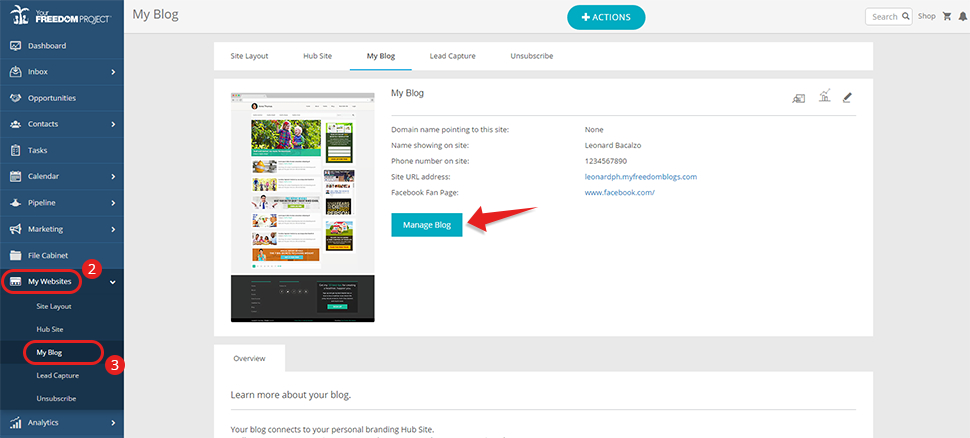
- Log in to your Freedom Project account.
- On the left side of your screen, go to "My Websites".
- Choose "My Blog" and click on the "Manage Blog" button.
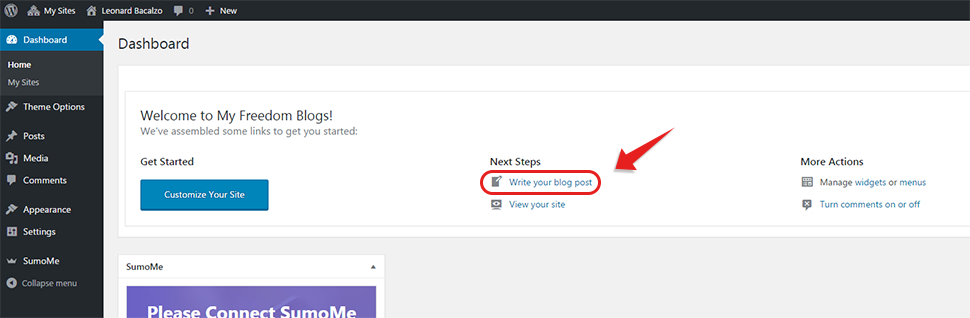
- Click on "Write your blog post".
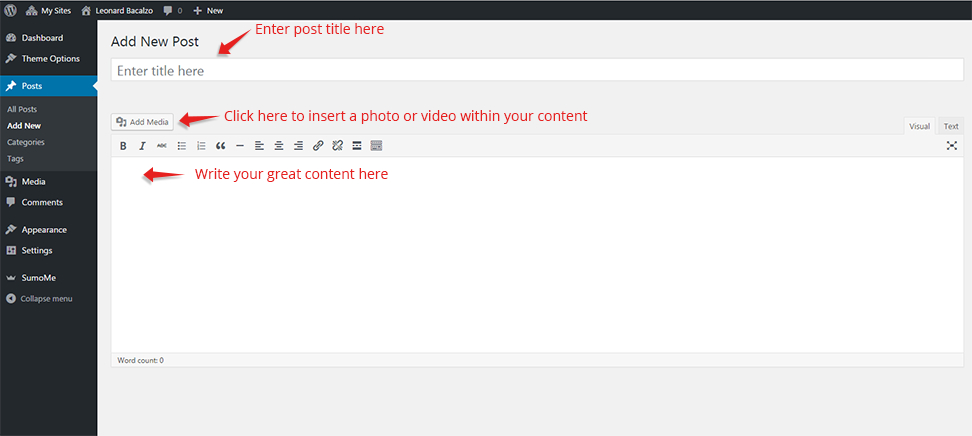
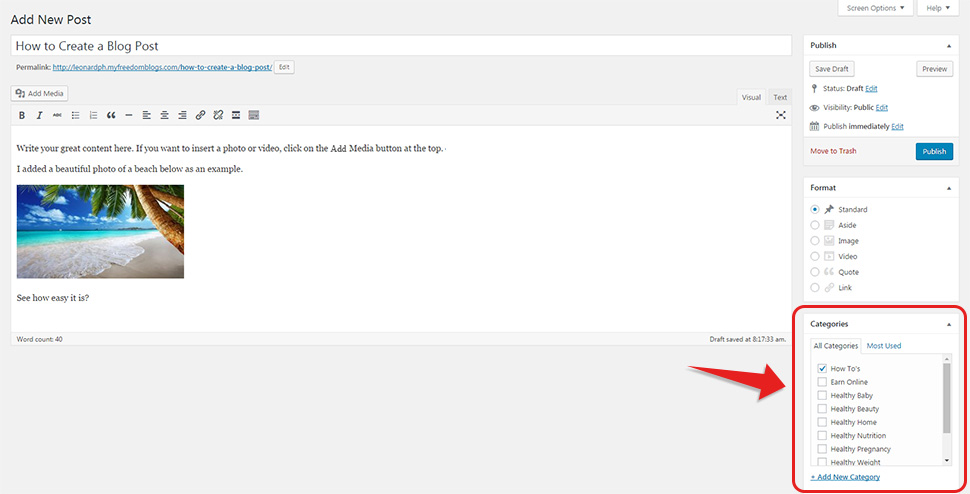
- You will be directed to a new page where you can start writing your blog. Please see the following screenshot.
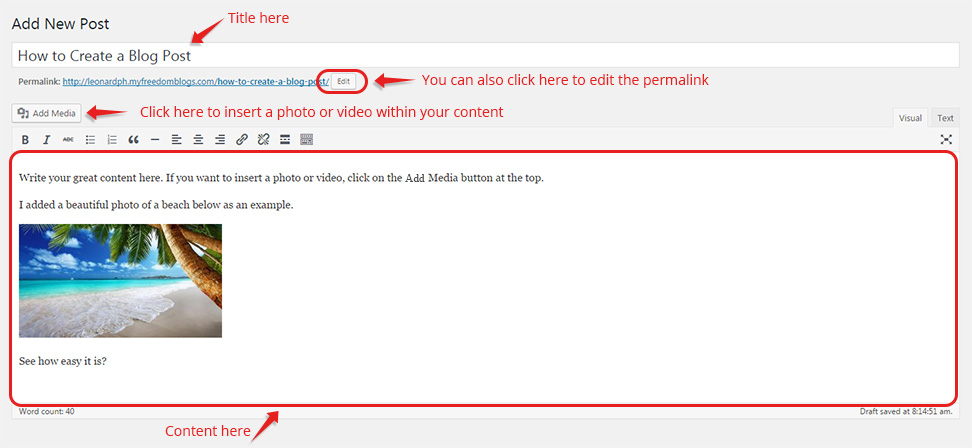
Please see screenshot below to see how it could look like.
- Choose the Category you want to put your post under.
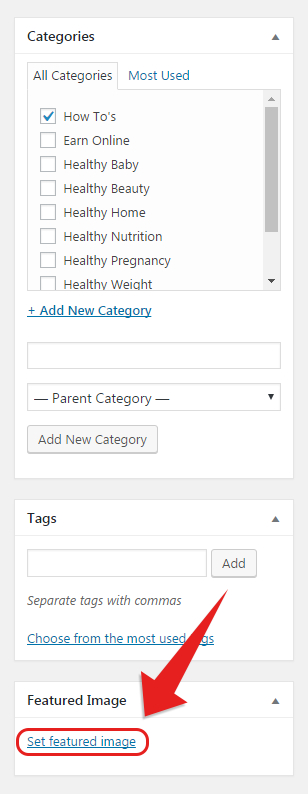
- Scroll down and add your Featured Image by clicking on "Set Featured Image".
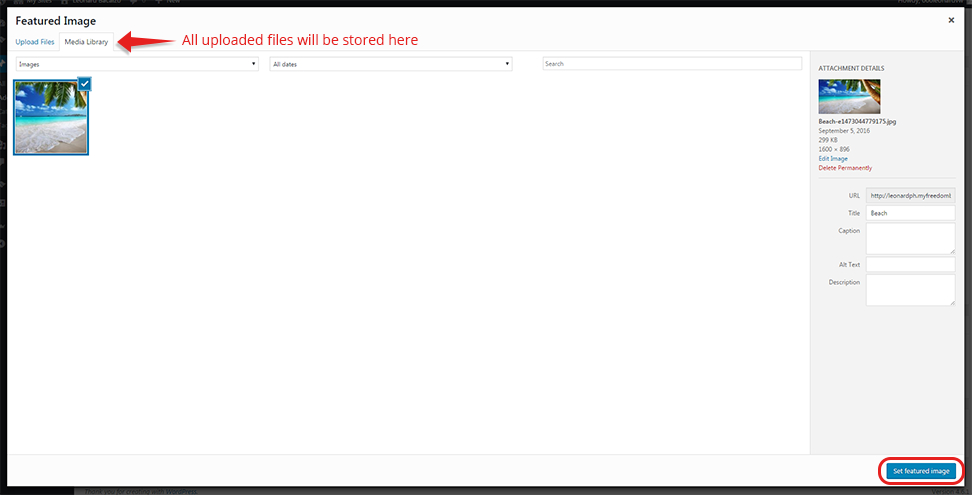
- Click on "Upload Files" to upload new files. You can go to Media Library to choose a file you have already uploaded before. Then click on "Set Featured Image".
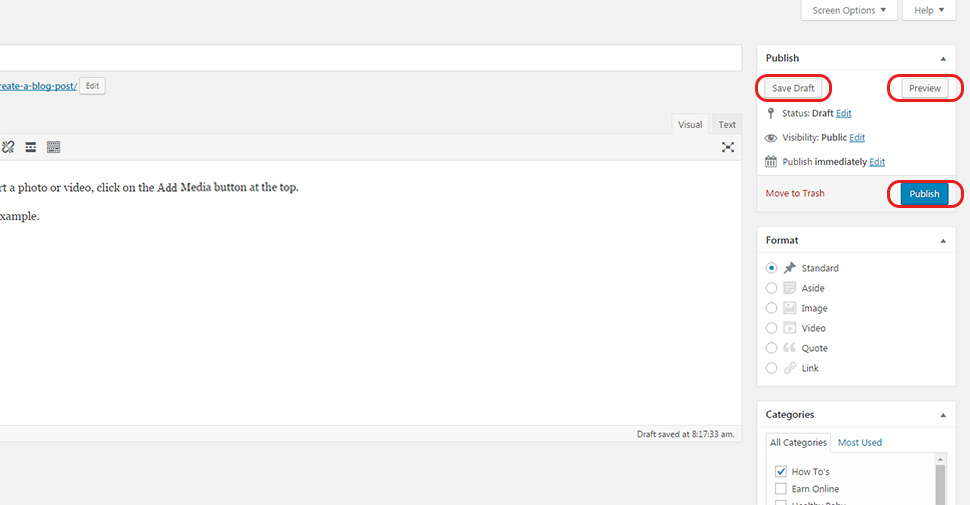
- After you are done, you can either Save Draft, Preview or Publish.