Help Center
How To View, Edit And Delete A Task
In this section we will show you how to view all your tasks, edit and delete your tasks.
View all tasks
View all tasks
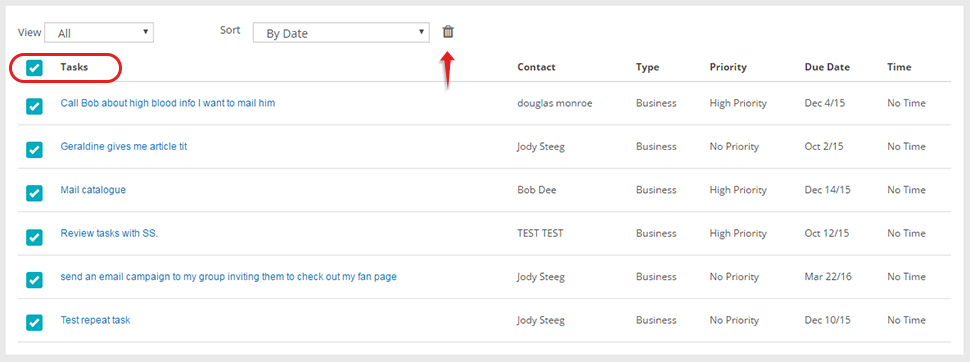
- Click Tasks on the side menu
- View by All, Business, Personal
- Sort by date, alphabetically

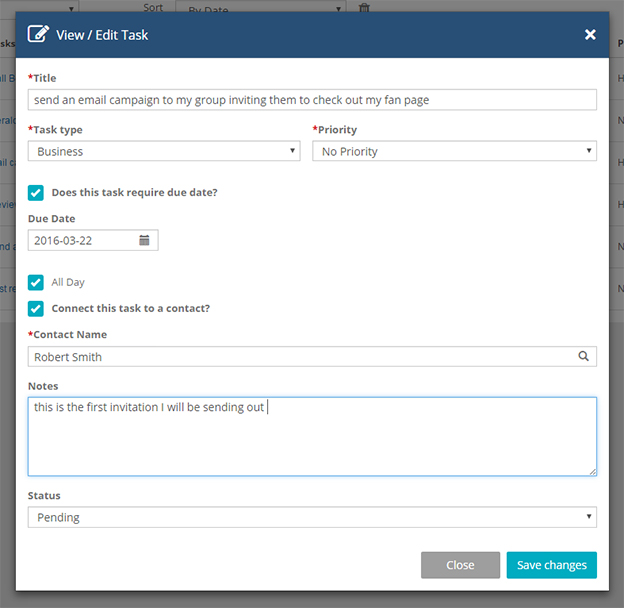
- Click on the name / title of the task

- Edit your task and click Save Changes button
*If you don't wish to edit the task, just hit Close
- Click the check box beside the name of the task you want to delete
- Click the trash bin

- Click the checkbox beside Tasks
- Click the trash bin